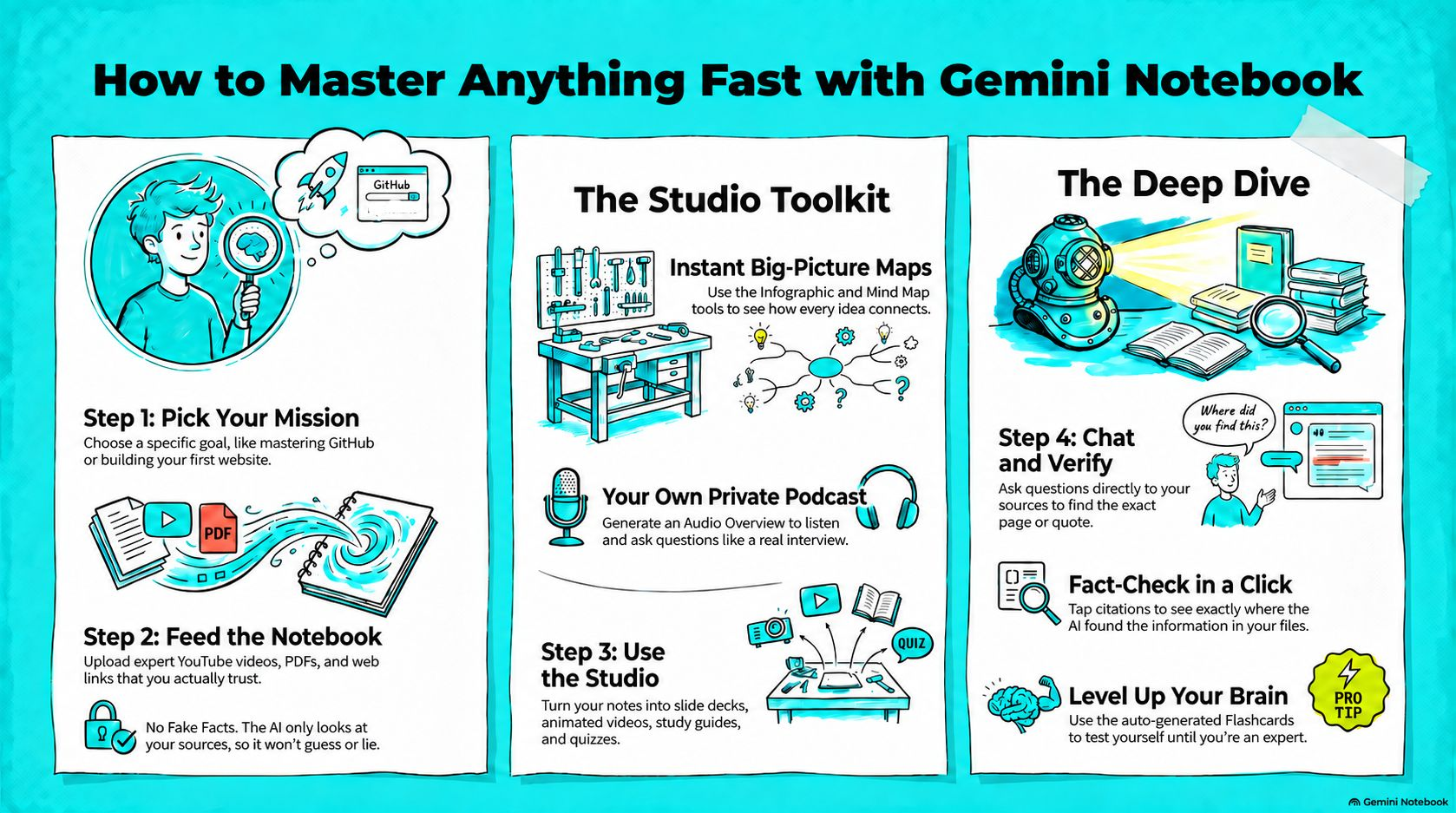
I know I go on about Gemini Notebook, but I think its brilliant and a really underrated AI tool. I use it when I need to get my head around something new.
First I create a new Notebook or repurpose an old one, then I add reputable and recent sources on the subject like YouTube educational videos, news articles and pdf documents. Now you can chat and ask questions of the sources.
I'll use anything from 5-10 sources, but you can upload up to 50. Then over to the studio for the magic. All you need to do enter a simple prompt, like "show me the core themes I need to understand", and click generate, and in a few minutes you can have infographics, slide decks, videos, quizzes and audio overviews! It never fails to amaze me that I can stop the audio to ask a question and the presenters answer me!
Gemini Notebook is powered by Retrieval Augmented Generation (RAG), which means it provides answers from the files you upload rather than generic web data. This reduces hallucinations, provides citations for claims, and keeps responses specific to your materials.
I've used this format to teach myself how to build and launch my website, understand GitHub, and how to build and maintain an LLM wiki for my 2nd brain. Below is a guide on how I use it to teach myself something new. If theres something you've been meaning to get your head round, give it a go!
Anyone got other hacks on how they use Gemini Notebook they want to share?
The guide